Alarms
Alarms checked on the server, heard on every screen.
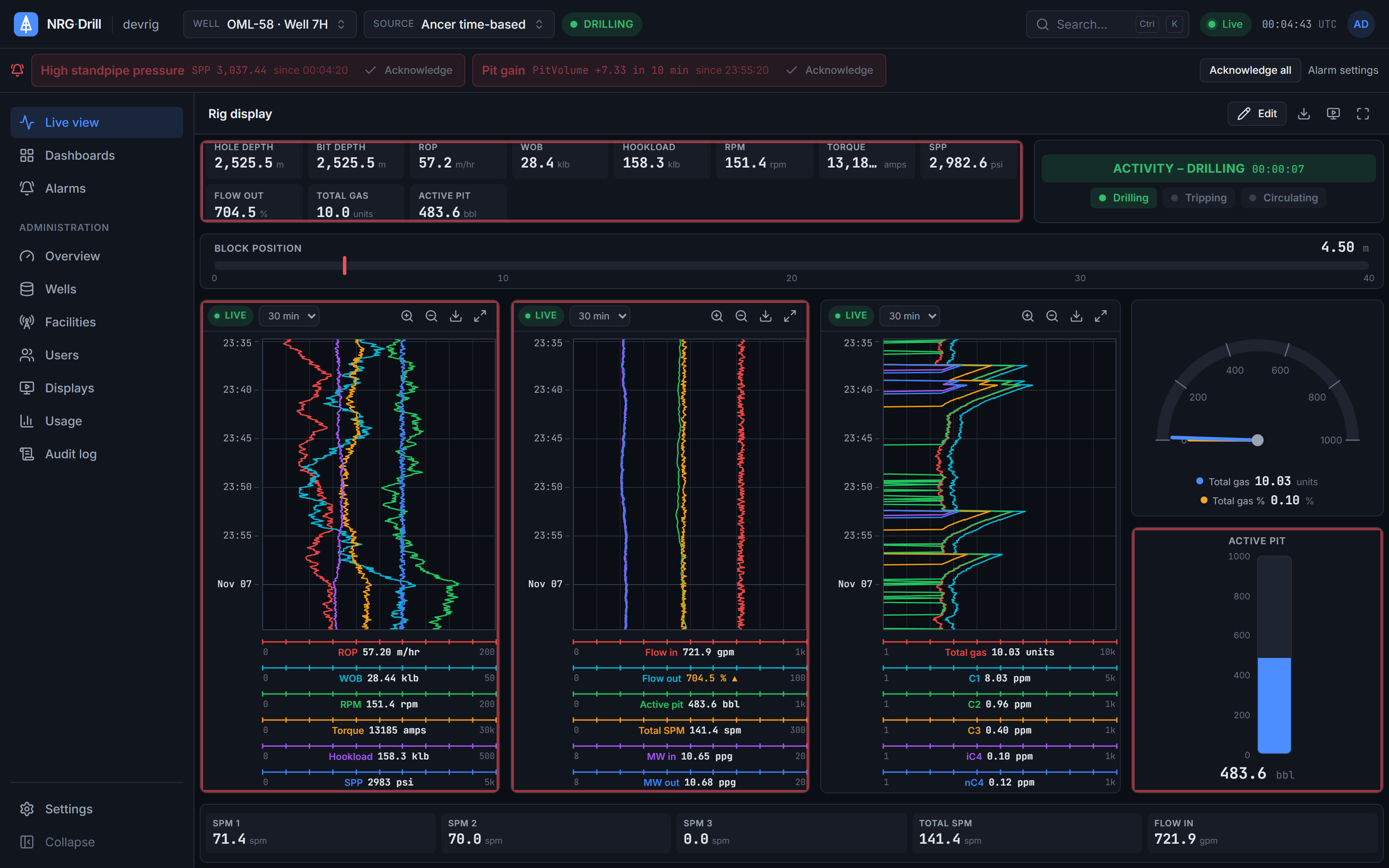
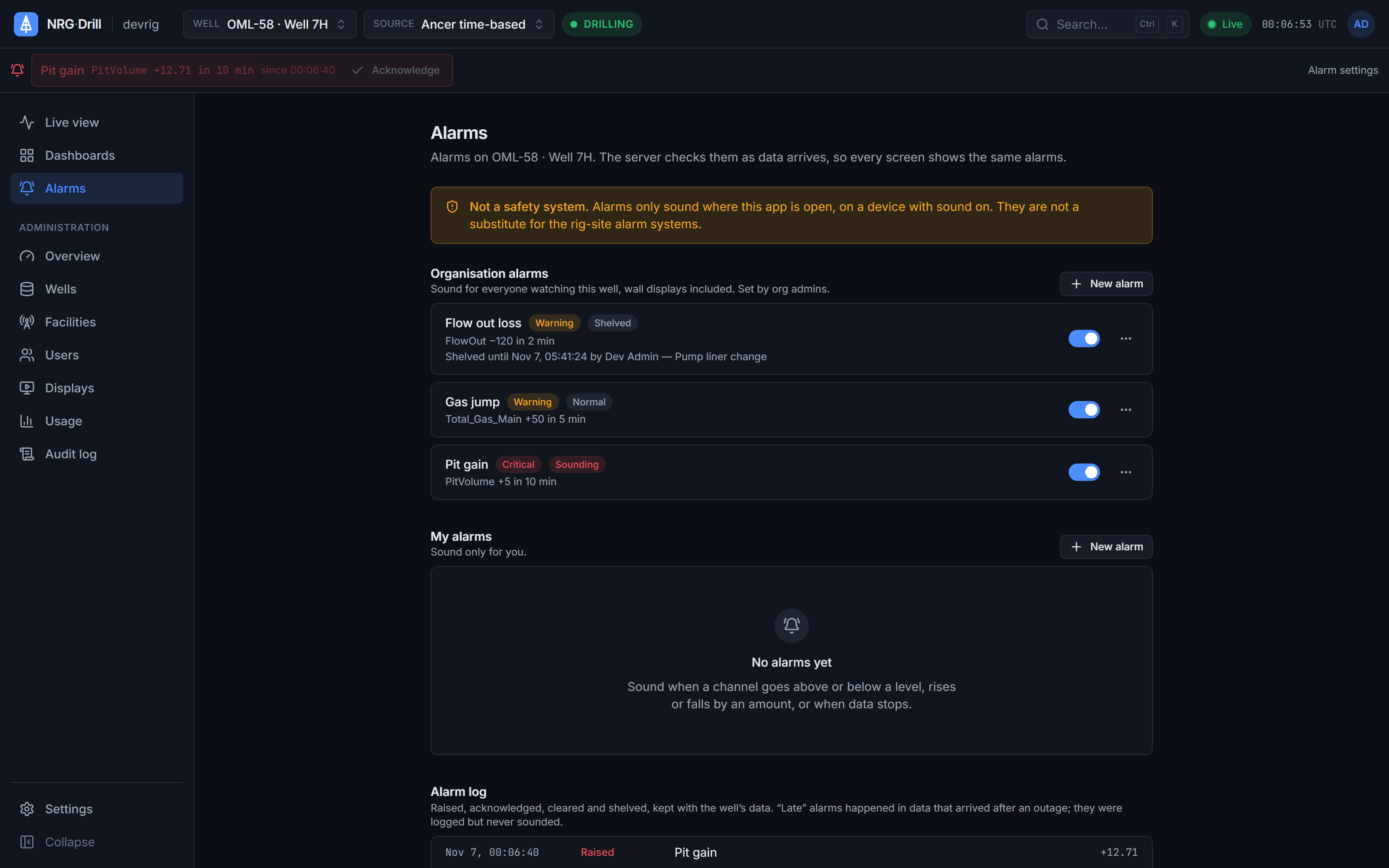
Rules are checked as data arrives, not in someone's browser, so an alarm trips even when nobody has the dashboard open. Every screen on the well hears it, the wall display included, and one acknowledgement silences it for everyone.
- Checked
- On the server, as data is stored
- Kinds
- Above, below, rises by, falls by, no data
- Scope
- Organisation or personal
- Acknowledge
- Once for everyone (organisation rules)
- Shelve
- 1 hour to 30 days, with a reason
- Notification
- In-app sound and visual, wall displays
Try it
Drag the pit volume up and see what your team would see.
Rule · organisation
Pit gain
Active pit rises by ≥ 5 bbl within 10 min → Critical
warning at ≥ 3 bbl · heard by everyone on the well
Alarm log
- 14:20:05Rule armed · baseline 452.0 bbl
The rules drilling needs
A rule watches a channel on the source that's on screen, or on a fixed source. A delay and a deadband stop a single spike from tripping it.
- Above or below a level
- Rises by or falls by an amount within a time window, for pit gain, flow out and gas
- No data for a number of minutes, so you know when a rig has gone quiet
- Warning and critical severities, each with its own tone
Organisation rules and your own
Org admins set the rules that everyone on the well hears, wall displays included. Anyone can add personal rules that only they hear.
Acknowledged once, for everyone
Acknowledge an organisation alarm on one screen and it goes quiet on all of them, and the log records who acknowledged it and when. Wall displays can acknowledge too.
Shelving and quiet hours
Shelve a rule for between 1 hour and 30 days with a reason, for example during a planned operation. While shelved it isn't checked, the shelving is logged, and the rule comes back by itself. Quiet hours mute the sound for a person or a display in their own time zone; the alarm still shows on screen.
An honest log
Every change of state is logged. Readings that arrive more than two minutes late, for example after a link outage, are logged as late and never sounded, so catching up on a backlog doesn't set off alarms for things that are already over.
Works with
Live charts
A top-down drilling chart in the browser — up to 4 tracks × 6 channels, Linear, Log10 and split scales, 48 hours of scroll-back and a shared time cursor.
Learn moreWall displays
Pair a TV or monitor with a one-time code. Wall displays get their own read-only sign-in for one well, show organisation dashboards in kiosk view, and don't count as users.
Learn moreData sources
The NRG-Drill Transmitter reads Ancer rig databases, WITS Level 0 (TCP or serial) and custom SQL, buffers through outages and sends compressed batches over outbound HTTPS.
Learn moreSee your own rig, live, this week.
Book a 30-minute demo. We’ll show NRG-Drill on a live well and talk through connecting your first cabin.