Product tour
One product for the cabin, the office and the wall.
NRG-Drill has three parts: a Transmitter in each cabin, a cloud service that stores, checks and pushes every reading, and a web app that anyone you grant access can open on any screen.
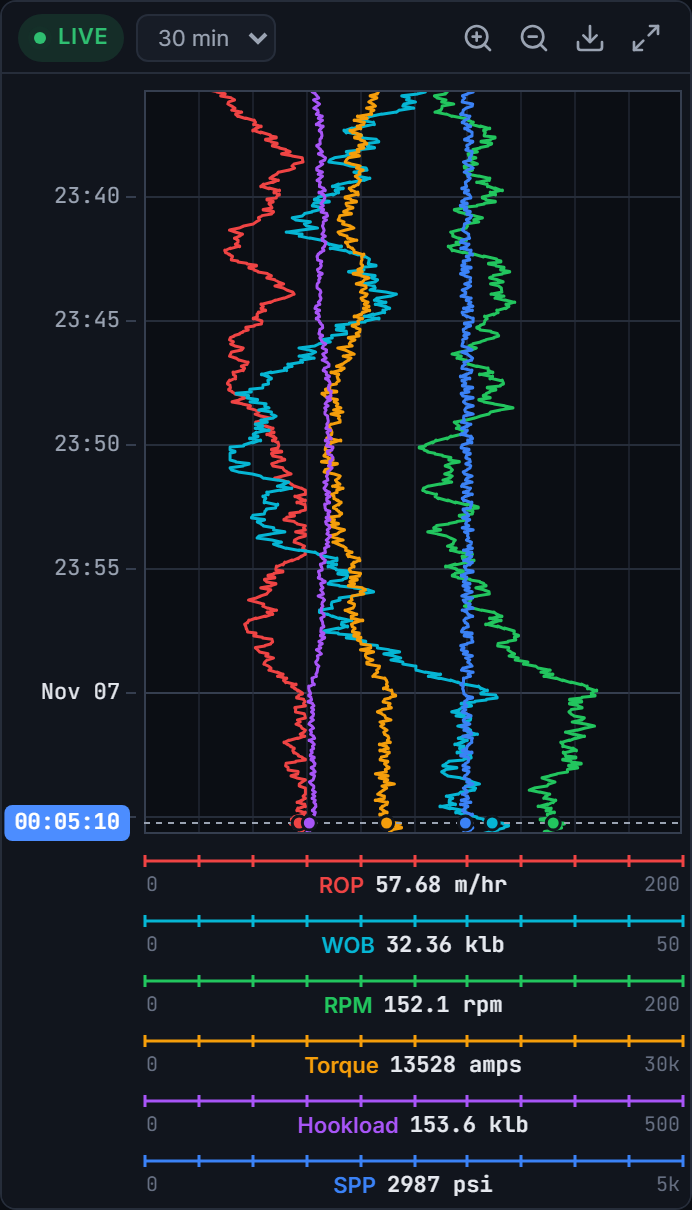
Live charts
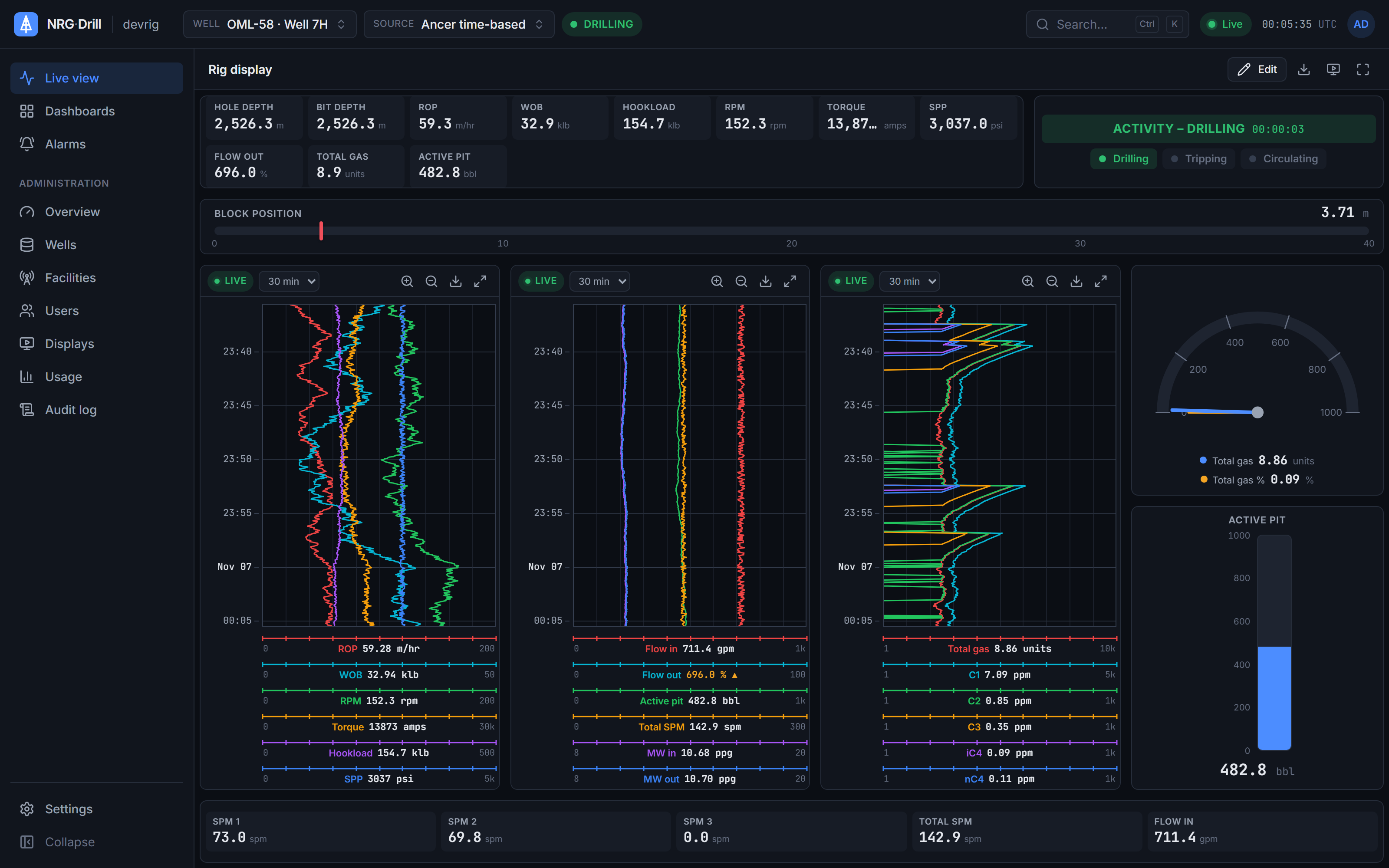
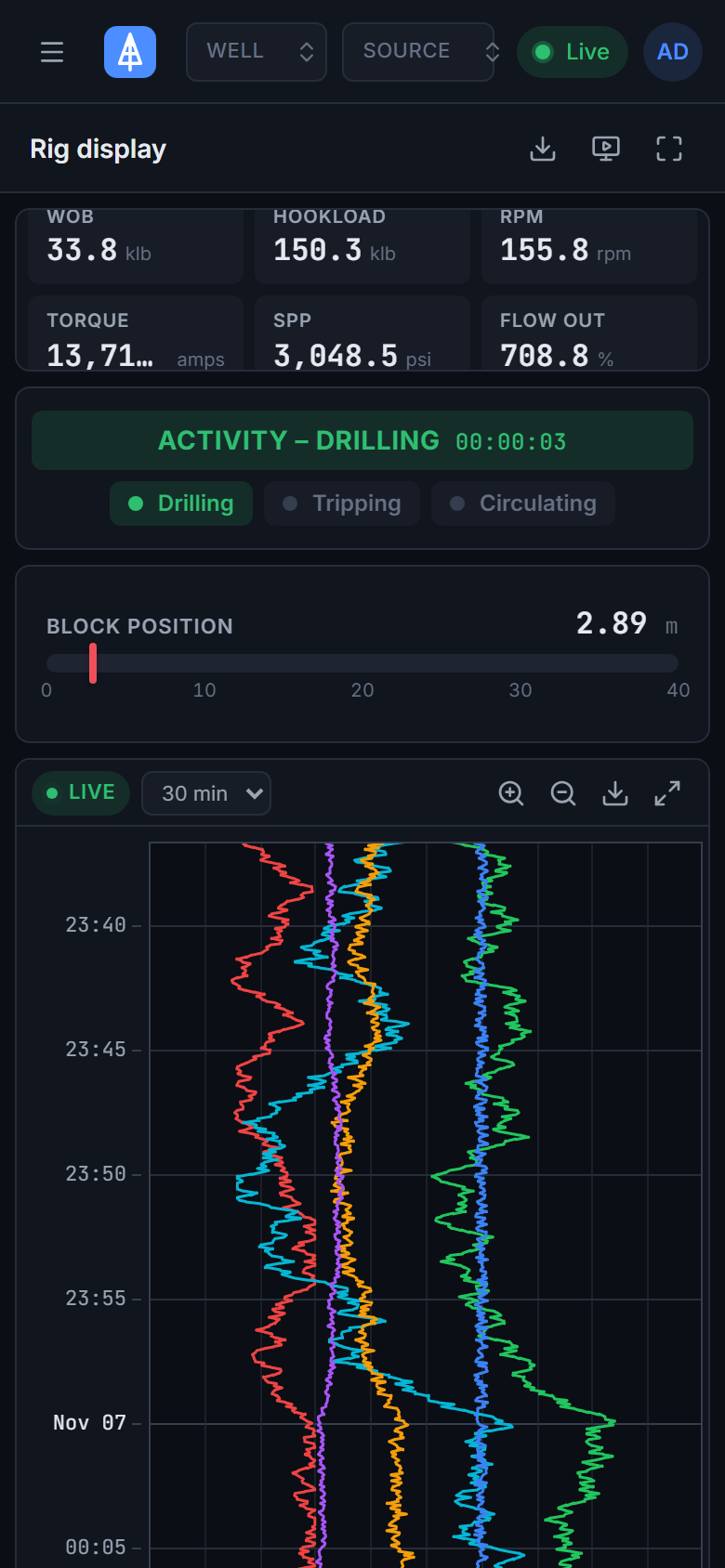
A top-down drilling chart in the browser — up to 4 tracks × 6 channels, Linear, Log10 and split scales, 48 hours of scroll-back and a shared time cursor.
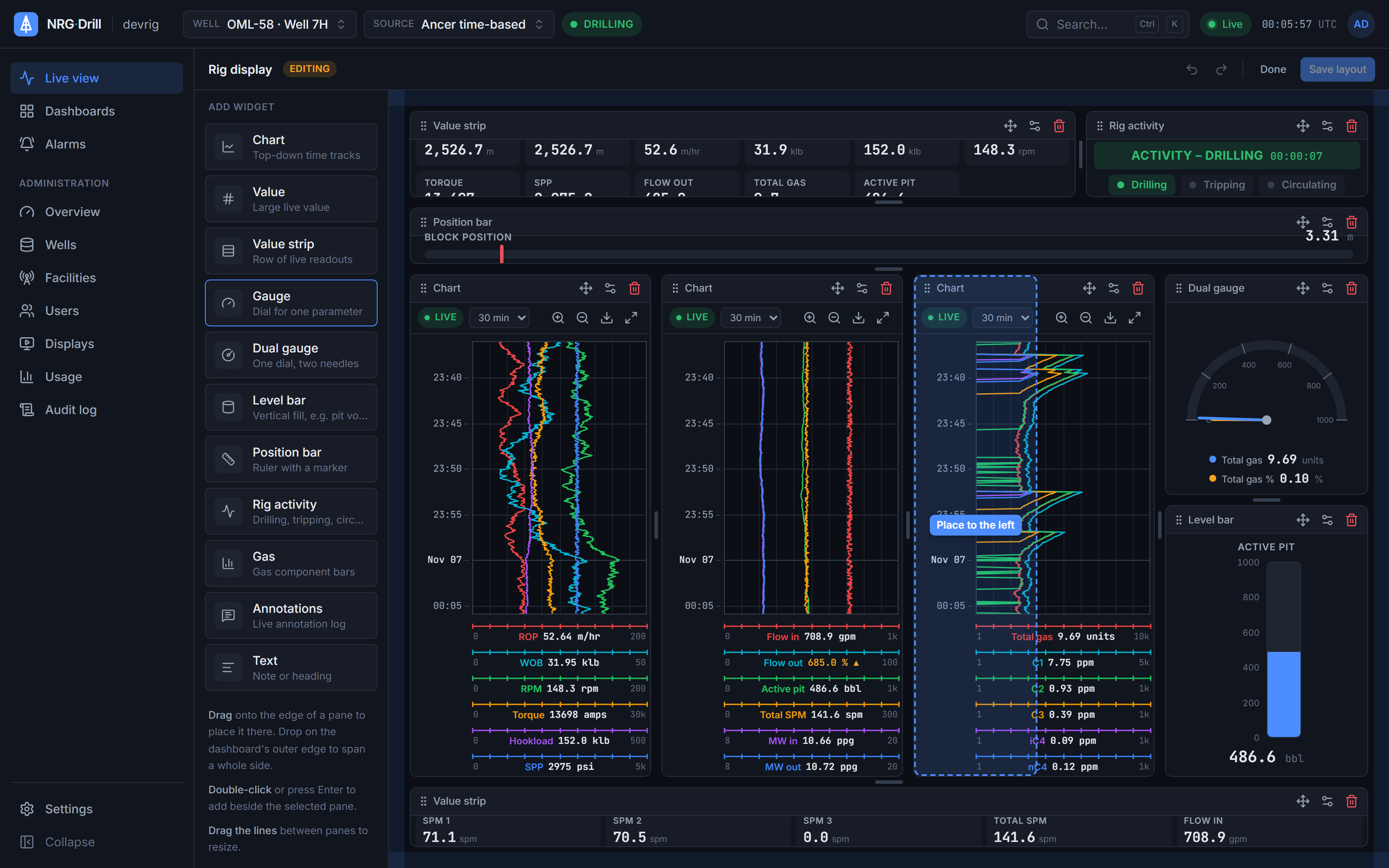
Dashboards
A split-layout dashboard designer with 11 drilling widgets, templates, organisation and personal dashboards, undo/redo, JSON import/export and a kiosk view.
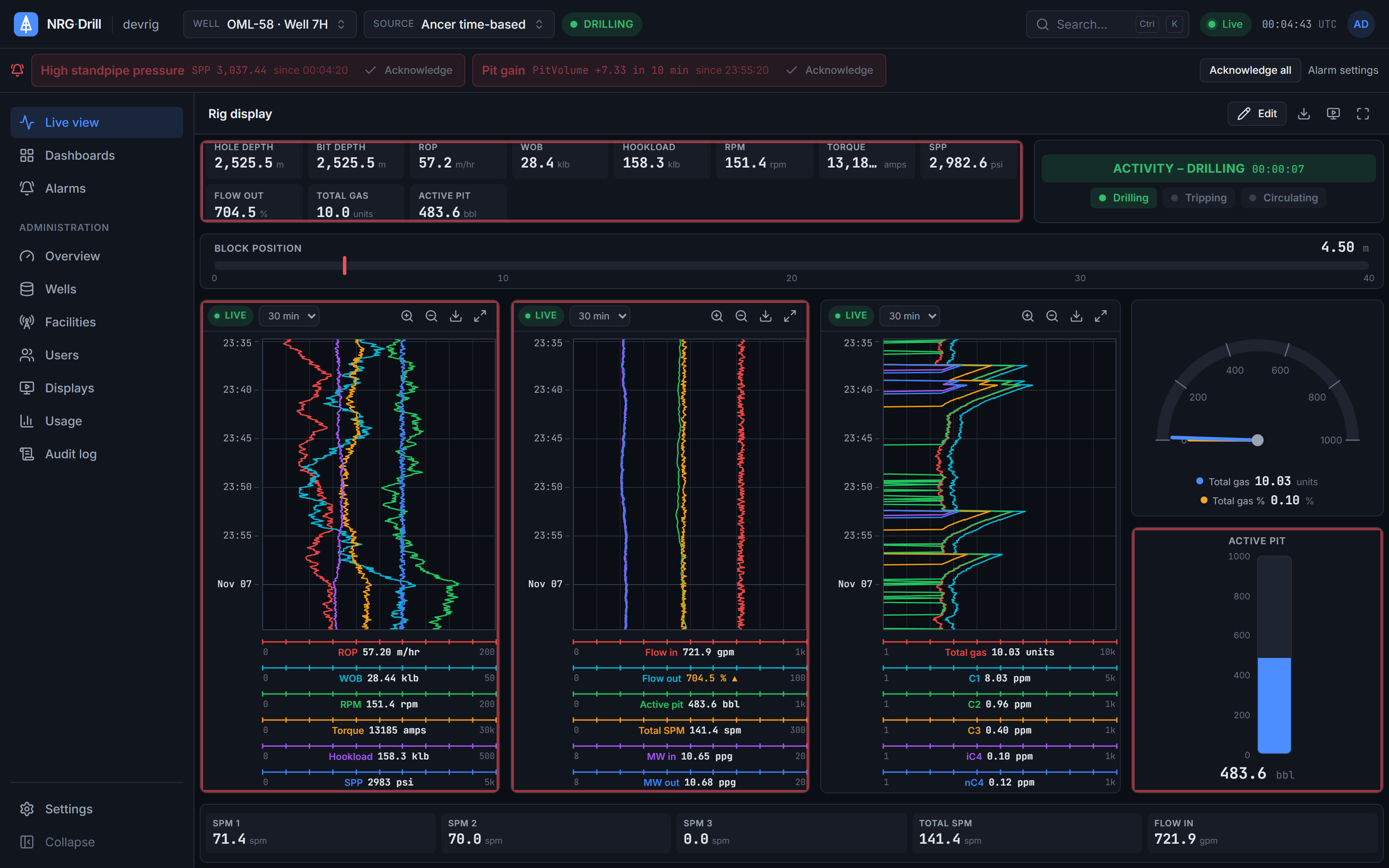
Alarms
Server-side drilling alarms — limits, rises-by and falls-by for kicks and losses, and no data — acknowledged once for everyone, with shelving, quiet hours and an alarm log.
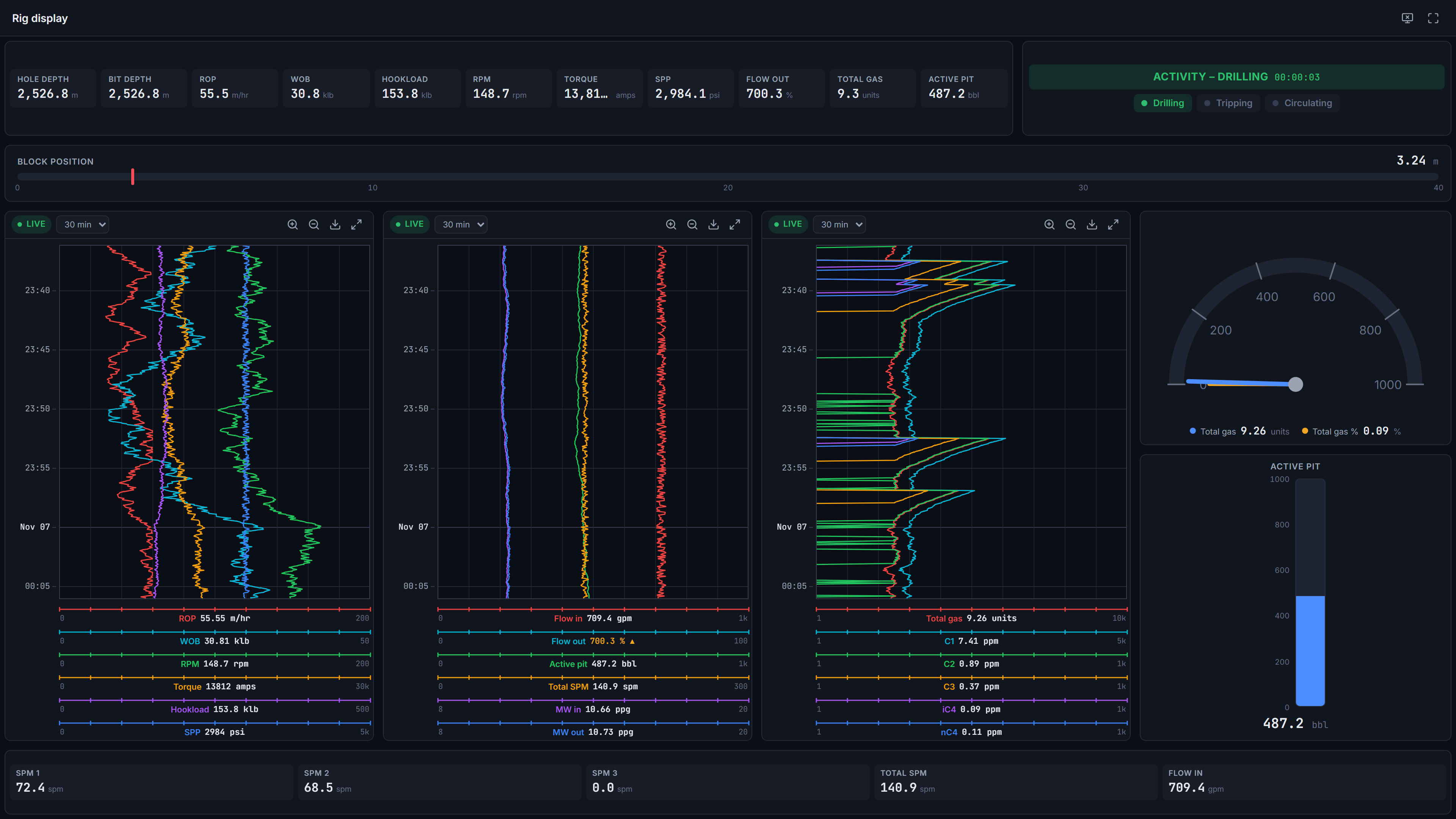
Wall displays
Pair a TV or monitor with a one-time code. Wall displays get their own read-only sign-in for one well, show organisation dashboards in kiosk view, and don't count as users.
Data sources
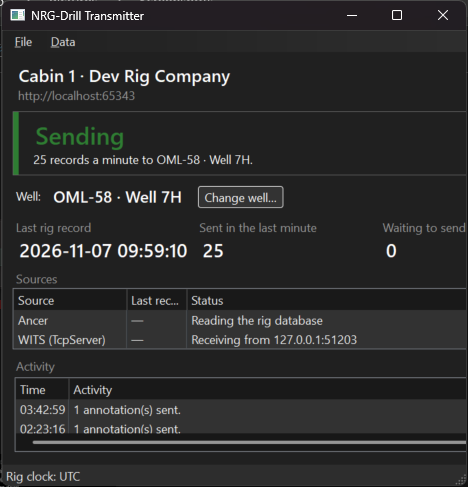
The NRG-Drill Transmitter reads Ancer rig databases, WITS Level 0 (TCP or serial) and custom SQL, buffers through outages and sends compressed batches over outbound HTTPS.
Export
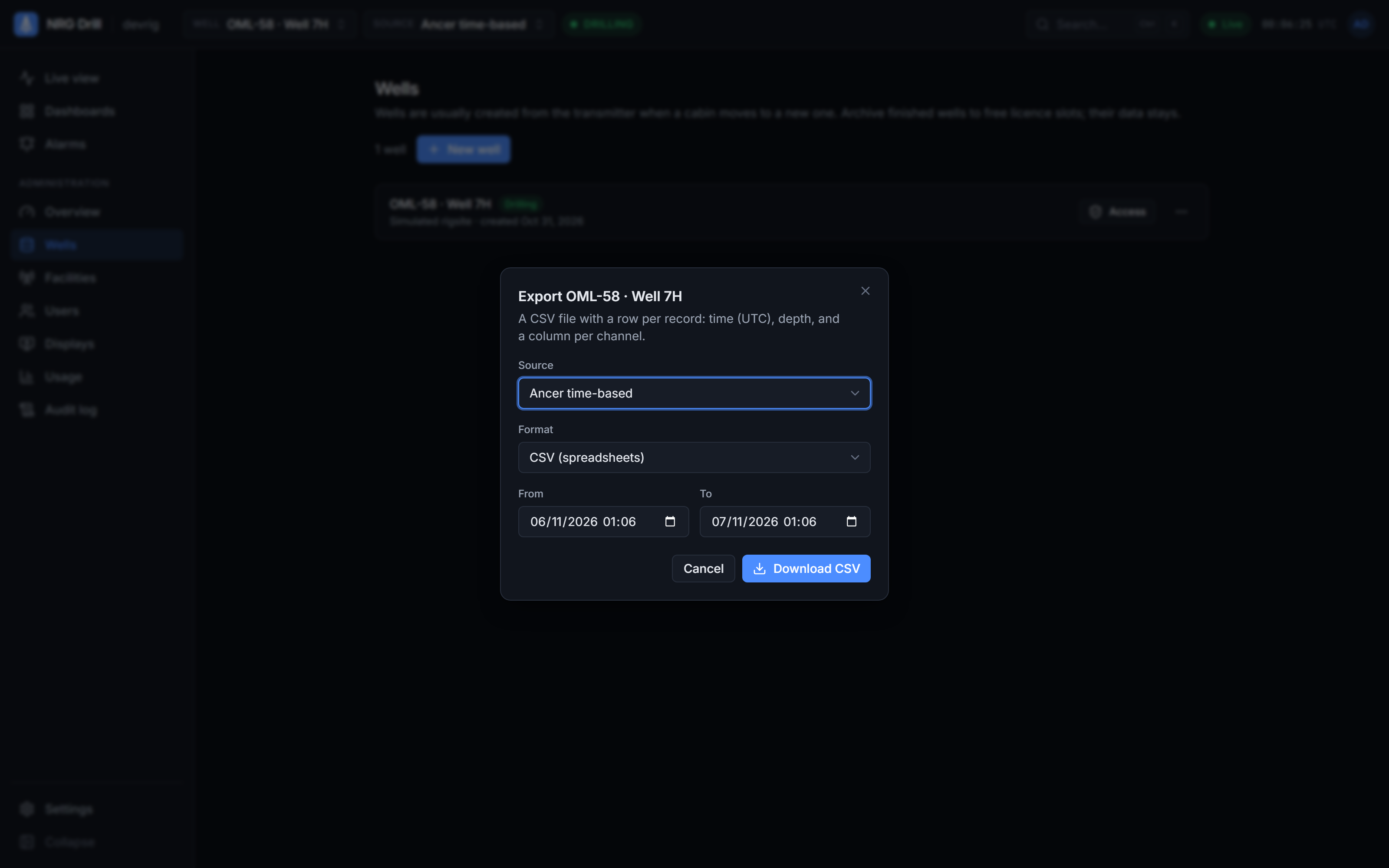
Export any well's data as CSV or time-indexed LAS 2.0, for up to 31 days at a time, from any source.
Product features
Live charts
The drilling chart you know, in a browser.
Top-down, newest at the bottom, up to 4 tracks × 6 channels. Scroll back 48 hours, zoom with Ctrl+wheel, and hover to read any value.
Alarms
Checked on the server, heard on every screen.
Above or below a limit, rises or falls by an amount in a time window (kicks and losses), or no data. Acknowledged once for everyone.
Wall displays
Pair a screen in seconds. It doesn't use a seat.
Enter this code in Admin → Displays
7K4Q9X
Dashboards
Drop a widget on an edge to split.
Several sources
Ancer, WITS or your own SQL.
Each source keeps its own dataset. Dashboards carry over because WITS codes map to the same channel names.
Export
CSV or LAS 2.0, for any range up to 31 days.
Units & time zones
Metres or feet. Well time, your time or UTC.
Per person, with an organisation default. Stored data never changes; only labels and readings convert.
Bit depth
2,418.6 m
7,935.0 ft
Time
14:32 WAT
07:32 CST
Shared time cursor
Click a moment. Every widget shows it.
Charts pause there with a marker and gauges show the values at that time. "Back to live" returns you to now.
The real thing
This is the product. No mock-ups.
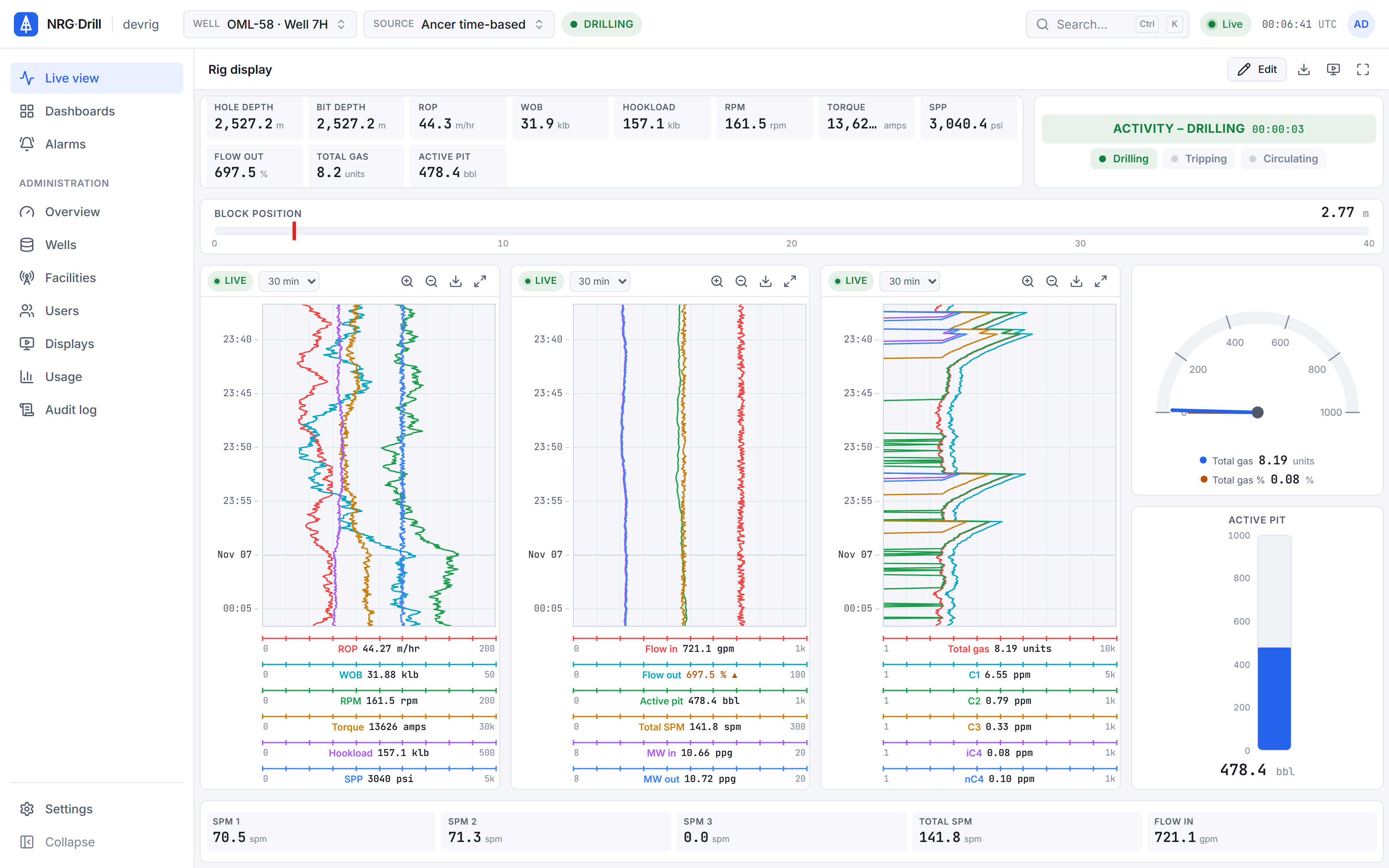
Every screen on this site is the NRG-Drill web app running on a simulated rig, the same app your team will sign in to.
Product screenshots
Roles
The right access for everyone on the well.
Access is granted per well. The live connection checks the same grants, admins included.
Roles
- Admin
- Manages the organisation: users, wells, facilities, displays, organisation dashboards and alarm rules.
- Engineer
- Adds annotations, keeps personal dashboards and alarm rules, and exports data where licensed.
- Viewer
- Sees the wells they are granted, read-only, and may keep personal dashboards.
- Display
- A paired wall screen: read-only, one well, organisation dashboards, no seat.
See the whole flow, from cabin to screen.
Five steps, one scroll.
See your own rig, live, this week.
Book a 30-minute demo. We’ll show NRG-Drill on a live well and talk through connecting your first cabin.