Data sources
Ancer, WITS or your own SQL. Nothing missed, nothing sent twice.
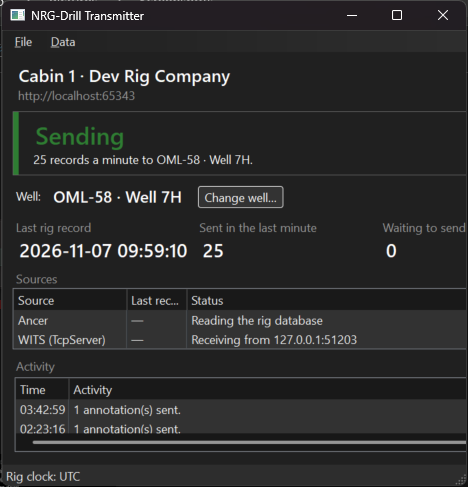
One small Windows app in each cabin reads the rig's data and sends it to the cloud. It picks up where it left off, rides out link outages, and never needs an inbound port.
- Runs on
- A Windows PC in the cabin
- Network
- Outbound HTTPS only
- Sources
- Ancer, WITS Level 0 (TCP/serial), custom SQL
- Outages
- Local buffer, sent oldest first
- Authentication
- 256-bit facility key, stored hashed
- Wells
- Chosen at the cabin, history kept
How data travels
01 / 05
Read at the rigsite
The Transmitter reads new rows from the rig’s database (Ancer), a WITS Level 0 feed or your own SQL query, from a saved cursor, so nothing is missed or sent twice.
02 / 05
Sent in compressed batches
Readings leave the cabin as gzipped batches over outbound HTTPS. There are no inbound ports to open and no VPN to keep alive.
03 / 05
The link drops. Nothing is lost.
When the satellite or 4G link goes down, rows wait in a local buffer, tagged with their well. The rig carries on as normal.
04 / 05
Back online, oldest first
As soon as the link returns, the buffer empties in order, so the chart in town fills in exactly as it happened on the rig.
05 / 05
Every screen, at once
The cloud stores each value, checks the alarm rules and pushes the reading live to everyone on the well: in the office, on a phone, or on a wall display.
The Transmitter
Install it on the cabin PC and sign it in with the facility key from Admin → Facilities. The cabin chooses the well it's on in the app, and the server keeps the history as the cabin moves from well to well.
- Reads after a saved cursor, so no row is missed or repeated
- Converts rig-local time using the facility's time zone
- Sends gzipped batches over outbound HTTPS only
- Buffers to a local database during outages and sends oldest first when the link returns
Ancer
Reads time-based data and annotations directly from the rig's Ancer database, with the channel names your crews already use.
WITS Level 0
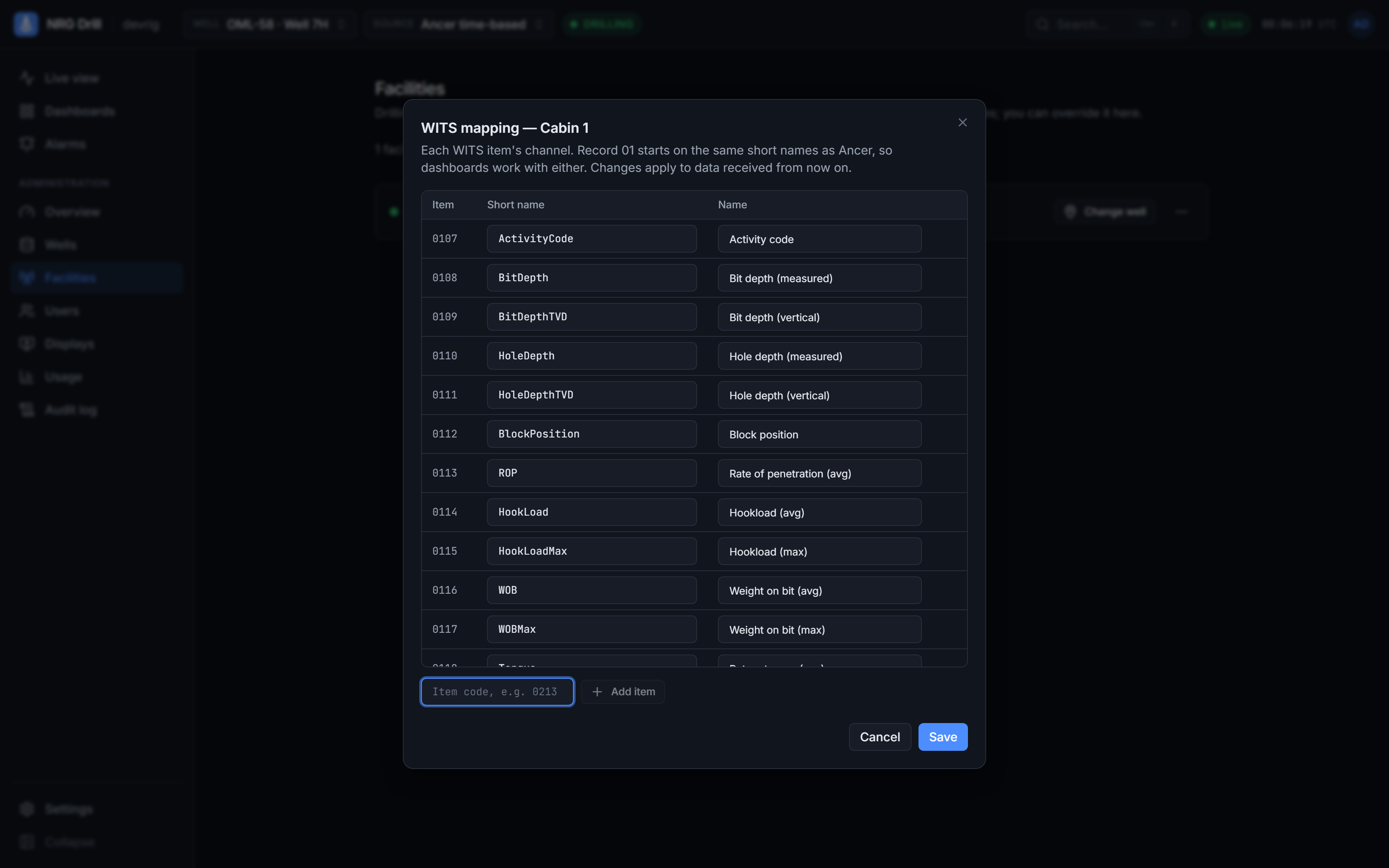
Receives WITS as a TCP server or client, or from a serial port. Item codes become channel names (0113 becomes ROP, for example), so dashboards built on Ancer work unchanged. Admins can adjust the mapping per facility.
Custom SQL
For anything else, point the Transmitter at a query, a view or a stored procedure with a time column. It reads on from the last time it sent, and new channels register themselves in the cloud.
Several sources, kept apart
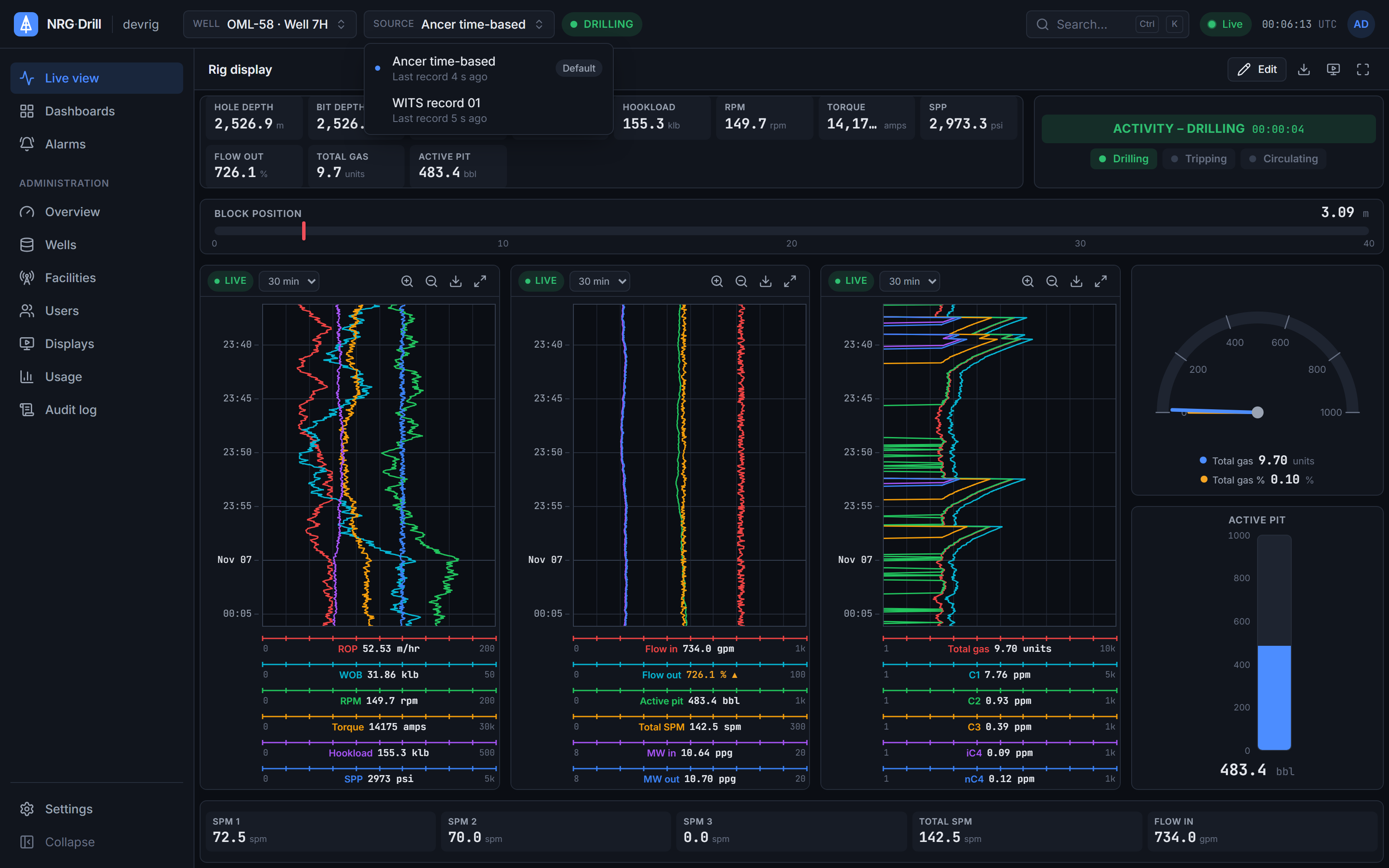
Each source is its own dataset and is never merged with another. A well shows the source that's live by default, and anyone can switch from the Source menu. Admins decide which kinds of source each facility may send.
Works with
Live charts
A top-down drilling chart in the browser — up to 4 tracks × 6 channels, Linear, Log10 and split scales, 48 hours of scroll-back and a shared time cursor.
Learn moreExport
Export any well's data as CSV or time-indexed LAS 2.0, for up to 31 days at a time, from any source.
Learn moreAlarms
Server-side drilling alarms — limits, rises-by and falls-by for kicks and losses, and no data — acknowledged once for everyone, with shelving, quiet hours and an alarm log.
Learn moreSee your own rig, live, this week.
Book a 30-minute demo. We’ll show NRG-Drill on a live well and talk through connecting your first cabin.